
Valorant Mobile App: The Ultimate Guide to Epic Wins on Your Phone in 2026
Description
Valorant Mobile App
Hey there, fellow gamers! If you love fast-paced action and smart team plays, you’ve probably heard about Valorant on PC. Now, imagine taking that same thrill right in your pocket. The Valorant Mobile App brings the popular tactical shooter to Android and iOS devices, letting you compete in intense 5v5 matches wherever you are.
Whether you’re waiting for the bus, chilling at home, or on a break at school, you can now drop in, pick your favorite agent, and aim for victory. Riot Games worked hard to make sure the mobile version feels just as exciting as the PC one, but with controls made for touchscreens.
In this big guide, we’ll cover all the important stuff in simple words so even if you’re new to the game, you’ll understand everything. Let’s dive in and see why everyone is talking about the Valorant Mobile App!
What Makes Valorant Mobile App Special?
The Valorant Mobile App isn’t just a copy of the PC game shrunk down. It’s built from the ground up for mobile players while keeping the core fun intact. You still use agents with unique abilities, buy weapons in rounds, and work with your team to plant or defuse the spike.
Key differences that make it stand out:
- Touch-friendly controls: Easy to learn but deep to master.
- Shorter matches: Perfect for busy schedules.
- Cross-play options: Play with friends on different devices (where available).
- Optimized performance: Runs smoothly on many phones.
Players in places like China have already enjoyed it a lot, with millions joining in. Now, with the global launch happening around May 2026, it’s your turn to join the fun.
How to Download and Install Valorant Mobile App?
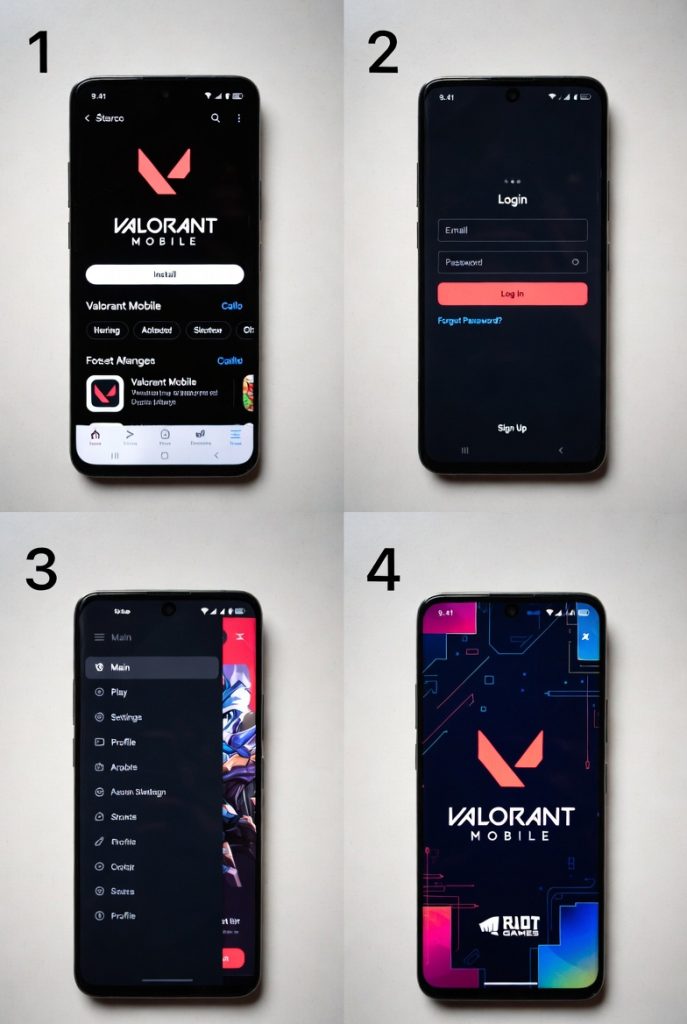
Getting started is super easy. Here’s a simple step-by-step guide:
- Check your device: Make sure your phone has enough space and meets the minimum requirements (we’ll talk about that soon).
- Go to official stores: Look for the app on Google Play Store for Android or Apple App Store for iOS.
- Search for “Valorant Mobile”: Download from the official Riot Games page to stay safe.
- Create or link Riot account: Use the same account as your PC version for progress sharing.
- Pre-download assets: The app might ask to download extra files for better graphics.
Pro tip: Use Wi-Fi for the first download because it can be a bit large. Once installed, you can jump into training mode right away to practice.
Many players report smooth installation, and the game guides you through basics if you’re new.
System Requirements for Smooth Gameplay
You don’t need the most expensive phone to enjoy the Valorant Mobile App. But having a decent device helps a lot.
Minimum Requirements (for basic play):
- Android 10+ or iOS 13+
- 4GB RAM
- Decent processor (like Snapdragon 665 or equivalent)
- 8-10 GB free storage
Recommended for Best Experience:
- 6GB+ RAM
- Snapdragon 778G or better / Apple A14 or newer
- 120Hz display for smoother visuals
The game has graphics settings you can adjust. Lower them if your phone heats up or battery drains fast. Many mid-range phones from 2024-2025 handle it well at medium settings.
Gameplay Basics: How to Play Like a Pro
The Valorant Mobile App keeps the same exciting loop: Attackers try to plant the spike, Defenders stop them. Each round you buy guns, shields, and abilities.
Core Elements:
- Agents: Choose characters like Duelists (fast attackers), Controllers (block vision), Sentinels (defensive), and Initiators (gather info).
- Weapons: Classic, Phantom, Vandal, Operator – all your favorites are here.
- Abilities: Unique powers that change how you play each round.
- Economy: Manage credits to buy better gear.
On mobile, you move with one thumb and aim/shoot with the other. Gyroscope support lets you tilt your phone for finer aim – super useful once you get used to it!
Practice in the range first. Learn recoil patterns and ability lineups. It feels different from PC but rewarding once you improve.
Best Agents for Mobile Players
Some agents feel easier on touch controls. Here are top picks for beginners and advanced players:
Beginner-Friendly:
- Sage: Heal yourself and teammates, create walls for defense.
- Phoenix: Flash enemies and self-revive with ultimate.
- Reyna: Easy to get kills and heal after fragging.
Advanced/ Aggressive:
- Jett: Super mobile with dash and updraft.
- Raze: Explosive grenades and satchels for movement.
- Omen: Teleport and smoke for sneaky plays.
Try different agents in unrated matches. Each has strengths depending on the map. The Valorant Mobile App lets you unlock agents as you play or buy them with points.
Maps and How They Feel on Mobile?
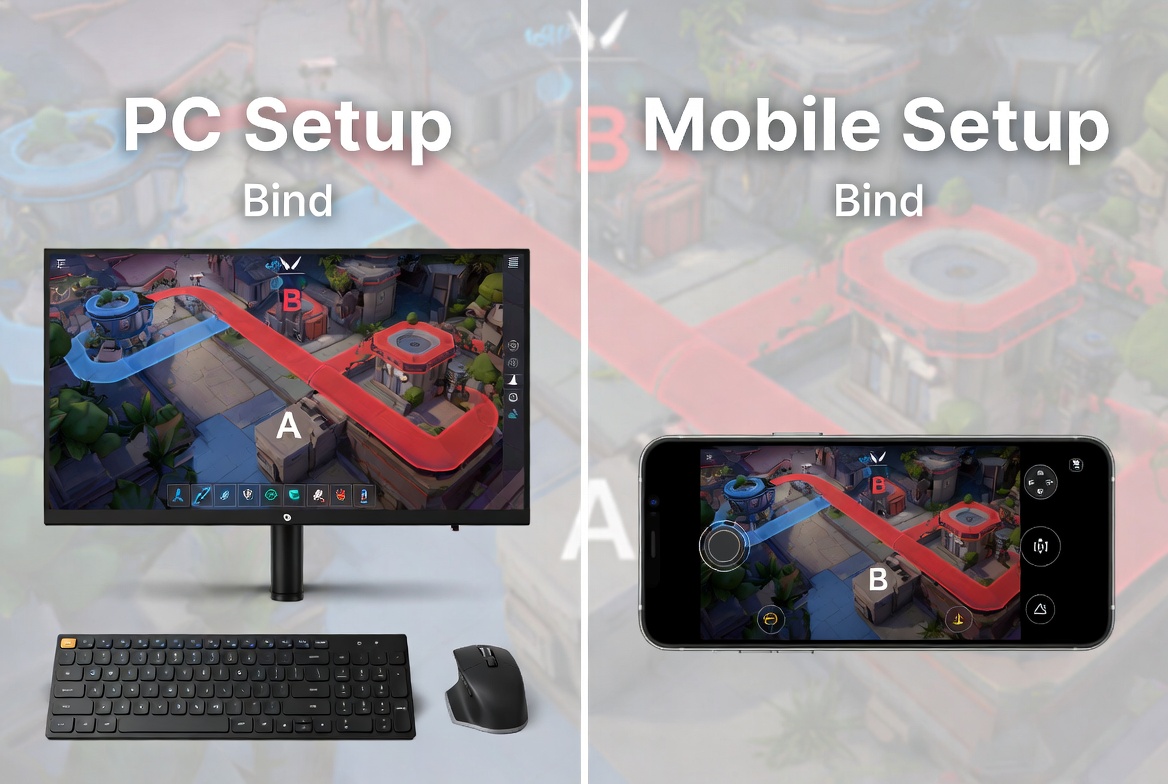
Popular maps like Bind, Haven, Split, and Ascent are optimized for smaller screens. Some have slight changes for better mobile play, like clearer callouts.
Tips for Maps:
- Learn choke points and common angles.
- Use minimap a lot – it’s very helpful on phone.
- Shorter round times mean faster action.
New maps might come in updates, keeping things fresh. Mobile version feels snappier in close fights.
Tips and Tricks to Improve Fast
Want to rank up quickly in the Valorant Mobile App? Follow these easy tips:
- Crosshair Placement: Keep your crosshair at head level always.
- Sound is Key: Use good headphones. Footsteps give away positions.
- Team Communication: Use quick pings and voice chat wisely.
- Practice Aim: Spend time in deathmatch or training range daily.
- Ability Usage: Don’t waste ultimates – time them for big moments.
- Economy Management: Sometimes save money for full buy rounds.
Watch pro players or good streamers for ideas, then try in your games. Mobile has some extra features like better replay systems for sharing clips.
Graphics, Performance, and Customization
The visuals look sharp even on mobile. You can customize:
- Sensitivity settings (very important!)
- Crosshair styles and colors
- HUD layout
- Graphics quality (Low/Medium/High/Epic)
Battery saving mode helps during long sessions. Many players say it runs better than expected on mid-tier phones. Updates keep improving optimization.
Competitive Scene and Ranked Play
The Valorant Mobile App has ranked modes just like PC. Start from Iron and climb to Radiant if you’re skilled enough!
- Placement matches decide your starting rank.
- Play consistently to improve.
- Tournaments and events give rewards.
With cross-play, you might face mixed teams. Esports for mobile is growing fast too, with big prizes possible in the future.
Skins, Cosmetics, and Store
Who doesn’t love cool looking guns? The store has bundles, individual skins, and player cards. Some skins carry over or have mobile exclusives.
Battle pass gives free and premium rewards as you level up. Daily and weekly challenges keep you motivated. Cosmetics don’t affect gameplay – they’re just for fun and showing style.
Common Mistakes New Players Make
Avoid these to improve faster:
- Peeking without info.
- Bad crosshair placement.
- Using abilities too early.
- Ignoring team economy.
- Playing too aggressively without backup.
Take breaks if you tilt after losses. The game rewards smart play more than raw aim sometimes.
Future Updates and What to Expect
Riot listens to players. Expect new agents, maps, weapons, and balance changes. The Valorant Mobile App will keep getting better with more regions, better anti-cheat, and community events.
Global launch brings more players, bigger matchmaking pools, and exciting competitions. Stay tuned to official announcements.
How Valorant Mobile App Compares to Other Mobile Shooters?
Compared to games like PUBG Mobile or COD Mobile, Valorant focuses more on strategy and precise shooting rather than battle royale chaos. It’s closer to a console tactical shooter but on your phone.
Strengths:
- Better gunplay feel.
- Unique agent abilities.
- Fairer competitive system.
It fills a gap for players who want skill-based matches on mobile.
Community and Social Features
Join Discord servers, Reddit groups, or in-game friends. Share clips, find teammates, and discuss strategies. The community is growing fast with the global release.
In-game friend list, clans, and chat make it social. Watch out for toxicity and report bad behavior.

FAQs About Valorant Mobile App
1. Is Valorant Mobile App free to play?
Yes! It’s completely free with optional in-app purchases for cosmetics.
2. Can I play with my PC friends?
Cross-play is supported in many regions – check in settings after launch.
3. Does it require high-end phone?
No, it runs on many devices, but better phones give smoother experience.
4. Is there aim assist?
It has some assistance for fair play, but skill still matters a lot.
5. When is the full global release?
Around May 2026 with possible betas before that in more regions.
Summary
The Valorant Mobile App is a game-changer for fans of tactical shooters. It brings high-quality competitive gaming to your phone with smooth controls, familiar agents, and exciting matches. Whether you’re a beginner or experienced player, there’s something fun for everyone.
Download it, practice daily, play with friends, and climb the ranks. The future looks bright with regular updates and growing community. Get ready for lots of epic clutches and memorable moments!
Start your journey today and see you in the game. Good luck, and have fun fragging!


